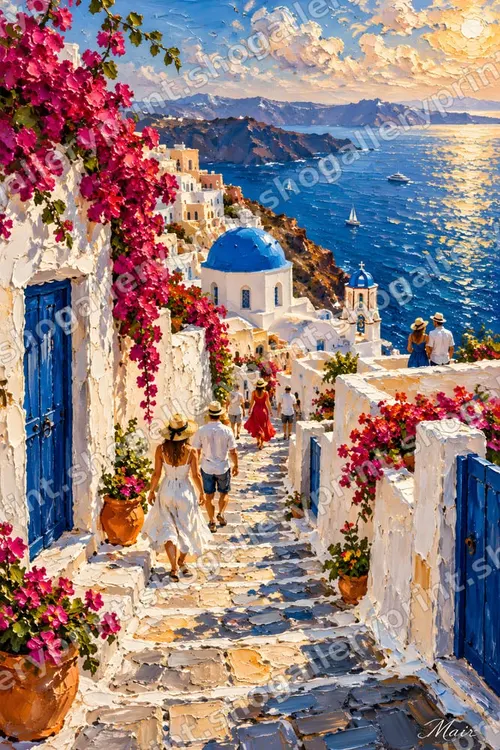
Canvas Gallery Wrap Explained – 4 cm Mirrored Edges

A gallery-wrapped canvas is printed canvas stretched around a wooden frame and stapled at the back, so the picture continues around the sides and no frame is needed. It is the most popular way to hang a painting-style print – but it hides a trap: the sides of the frame use up part of the image. Here is how to get it right.
Why a normal file loses part of the painting
Stretcher bars are usually 3–4 cm (1.25–1.5 in) deep. If you send a normal 24×36 inch file to a canvas service and ask for a 24×36 inch gallery wrap, the service either wraps part of the painting around the sides – so you lose around 4 cm of the picture on every edge, often a signature or a head – or it fills the sides with plain white, black or a stretched copy of the edge.
How our gallery-wrap files work
Wall-art designs marked “Canvas ready” include, for each print ratio, a gallery-wrap file with a 4 cm (1.6 in) mirrored edge on every side. The outer 4 cm are a mirror image of the painting’s edge, so the colours continue naturally around the frame while the whole painting stays on the front.
Two sizes matter:
- The size in the file name is the finished front of the stretched canvas – what you see on the wall.
- The file itself prints 8 cm (3.15 in) larger in width and in height: 4 cm extra on each side.
| Finished front of canvas | Print the wrap file at |
|---|---|
| 24×36″ (61×91.4 cm) | 27.15×39.15″ (69×99.4 cm) |
| 18×24″ (45.7×61 cm) | 21.15×27.15″ (53.7×69 cm) |
| 16×20″ (40.6×50.8 cm) | 19.15×23.15″ (48.6×58.8 cm) |
| 11×14″ (27.9×35.6 cm) | 14.15×17.15″ (35.9×43.6 cm) |
| A2 42×59.4 cm (16.5×23.4″) | 50×67.4 cm (19.7×26.5″) |
The ZIP also contains CANVAS-WRAP-README.txt with the same table. The same table is on every collection page under gallery-wrap sizes.
How to order a gallery-wrapped canvas
- Choose the canvas size you want on the wall – for example 24×36 inches.
- Upload the matching wrap file (the one with that front size in its name).
- For the edge option, choose the one where the image itself wraps around the frame; do not add the service’s own mirror or colour edge – the mirror is already in the file.
- If the service asks for the full print size including the wrap, enter the larger size from the table.
- Check the preview: the fold line should sit where the mirrored band starts, and the whole painting should be on the front.
Services describe these options differently. If yours only offers “mirror edge” for normal files, you can also upload the normal ratio file and choose its mirror option – the result is similar, but our file gives you control over exactly what appears on the sides.
Gallery wrap, museum wrap or framed canvas?
- Gallery wrap with mirrored edges – the picture seems to continue around the sides; the full painting stays on the front. Best for paintings and landscapes.
- Image wrap – the real picture wraps around the sides; you lose the outer few centimetres on the front.
- Museum wrap / colour edges – white or black sides; looks clean and modern, the whole picture stays on the front.
- Floating frame – a thin frame around a canvas with a gap; works with any of the above.
Which designs look best on canvas?
Designs in our thick, textured oil-painting style look most like a real painting on canvas: the Greek island and Italian coast scenes, the flamenco dancers, Mexican folk art and the 19th-century style Holy Land landscapes. Please remember they are printed reproductions of digital artworks created with the help of AI tools – the canvas texture is printed, not hand-painted brush strokes.
New to printing? Start with how to print wall art and which print size fits your frame.